
Solutions by role

One system, a different view for every seat

Each role signs in to its own dashboard, menus and reports. Access rights decide who sees what.

Recruiters

Spend the day on candidates, not copy-paste

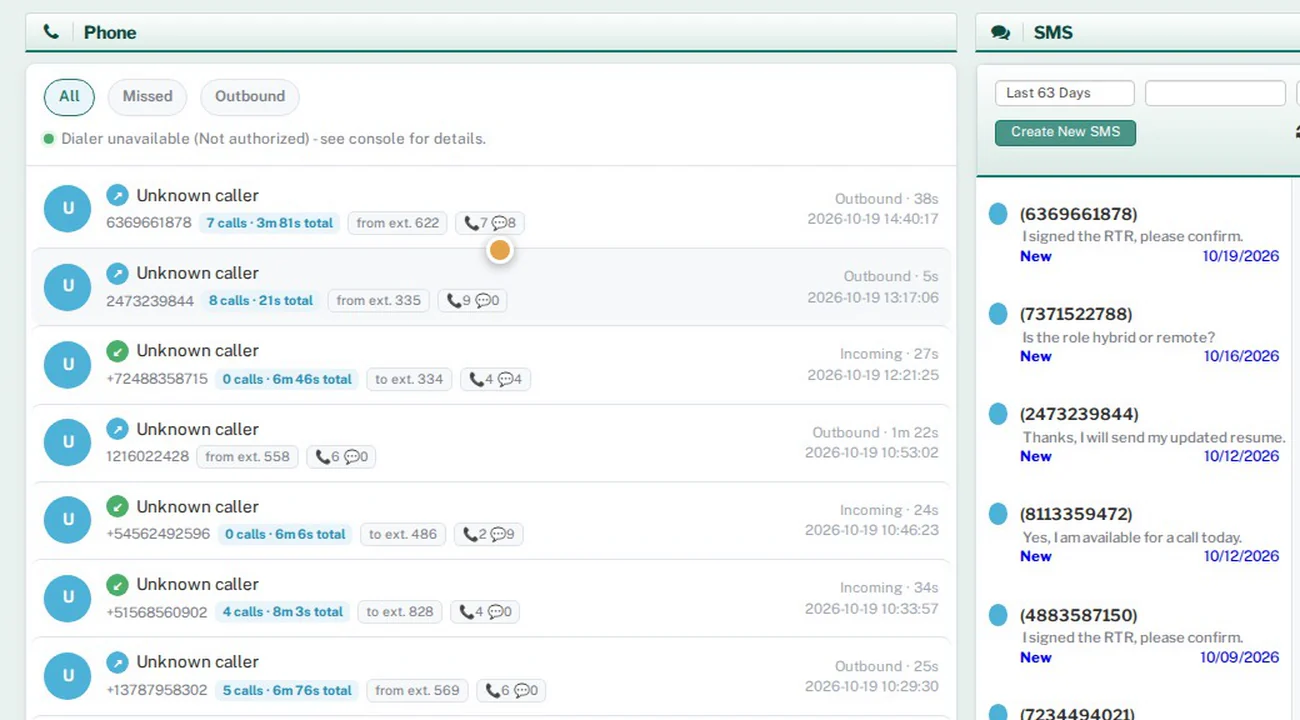
Recruiters open to their assigned requirements, search every resume source from one screen, and submit through a form that already knows the requirement.
  • Dashboard of assigned requirements, submissions and interviews
  • Advanced resume search: internal database, Monster and Dice
  • Submissions pre-filled from the requirement, plus AI Fit Assessment
  • Mass mail campaigns and mailing lists
  • VoIP calling and VoIP SMS in the communication hub
  • Own placements, timesheet and training videos
yourcompany.hrmsportal.app
Communication hub with calls and SMS
Team leads

See your whole team, and every uncovered requirement

Leads review submissions before they go to the account manager, watch coverage across the team, and get the daily tracking sheets built and emailed for them.
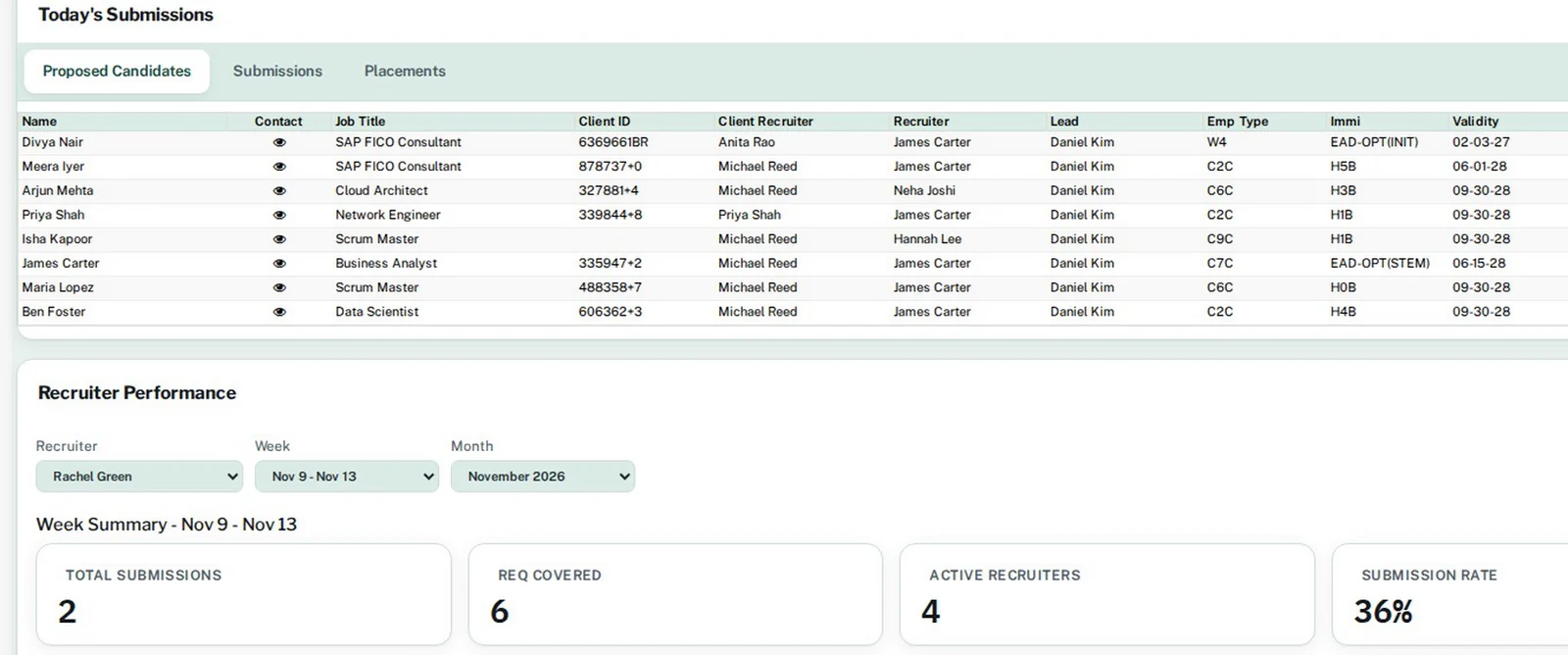
  • Team dashboard with team KPIs and recruiter performance
  • Review submissions at Proposed to TL, then forward or reject them
  • Lead Daily Entry and Daily Recruiter / Lead Tracking
  • Work Status by team, by recruiter and by client contact
  • Requirements Not Covered and Beeline Req Watch
  • Tier-2 auto-backfill and external submission intake
yourcompany.hrmsportal.app
Team dashboard with today's submissions and recruiter performance
Account managers

Own the client relationship with live numbers

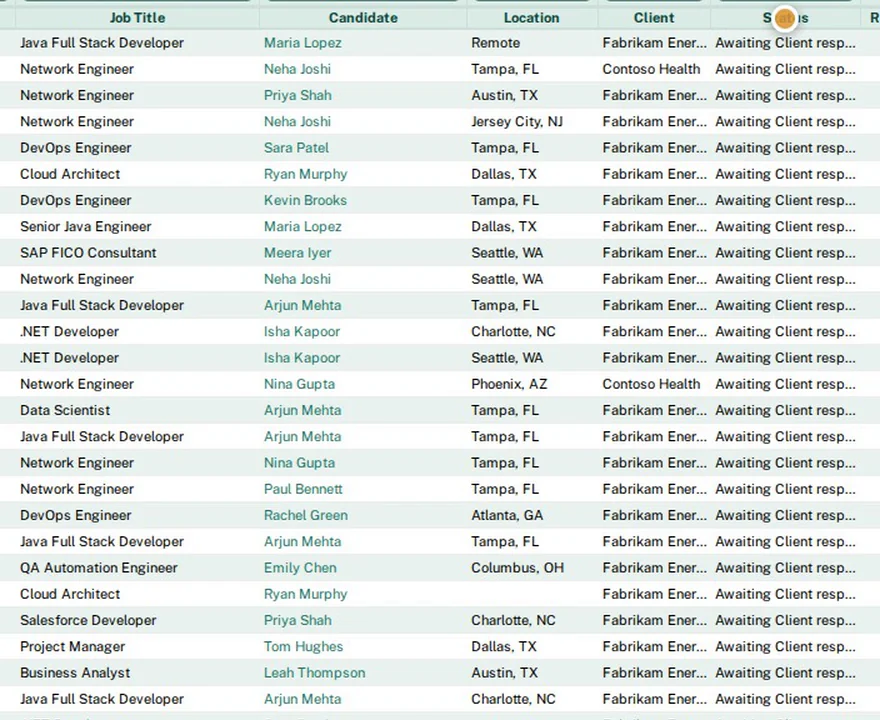
Account managers prioritize requirements, follow every submission through the client's portal, and see status changes as soon as the portal reports them.
  • Requirement priority, assignment and job posting
  • Automatic VMS/MSP submission and portal status sync
  • Client submission reports and statistics
  • Interview report and placement status
  • Expiring SOWs and client reporting
  • Lead Daily Entry and Work Status by client contact
yourcompany.hrmsportal.app
Recruiter Submission report
HR & onboarding

Onboarding packets that fill themselves in

HR sends one secure link. Candidates and vendors fill in forms and sign documents, background checks are ordered and tracked, and immigration dates are watched for you.
  • Closure / onboarding links with document groups
  • E-sign and HR countersign queue
  • Background-check forms, orders and status report
  • Video ID verification over Microsoft Teams, with recording and ID stills
  • I-9 acknowledgment and AI work-authorization check
  • Immigration, H-1B and LCA tracking with expiry reminders
  • Vendor W-9 and certificate-of-insurance tracking
yourcompany.hrmsportal.app
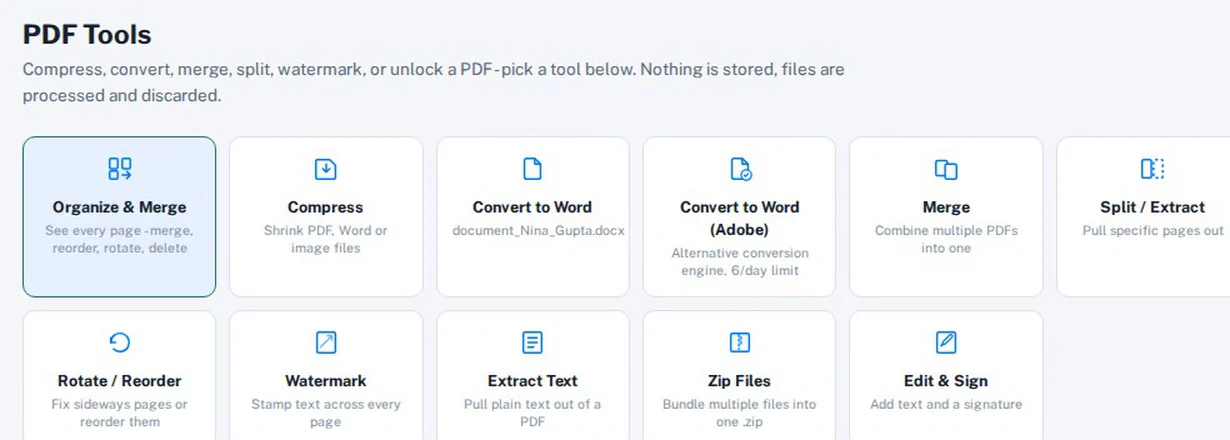
PDF tools with edit and sign
Accounts

From approved hours to reconciled bank lines

Accounts staff create invoices from approved timesheets, pay vendors with NACHA files, and reconcile bank feeds in the same system as the placements they come from.

  • Timesheet approvals and missing-timesheet reminders
  • Client invoices, receivables and unpaid tracking
  • Vendor invoices, payments and ACH / NACHA files
  • General ledger, bank feeds, rules and reconciliation
  • Built-in ledger: P&L, Balance Sheet, 1099-NEC filing
  • Margin, cash-flow and income reports
yourcompany.hrmsportal.app/accounting

Illustration with sample numbers, not customer data

Next step

See HRMS Portal run your staffing desk

Bring us one live requirement and we will walk it through the whole flow with you: intake, sourcing, submission, onboarding, timesheets and billing.

Both buttons open an email to sales@hrmsportal.com. Self-serve sign-up is not live yet.