
Every feature on this page exists in HRMS Portal today. Grouped the way your team works.
Requirements, candidates, resume search, campaigns and submissions, pre-filled from the requirement.
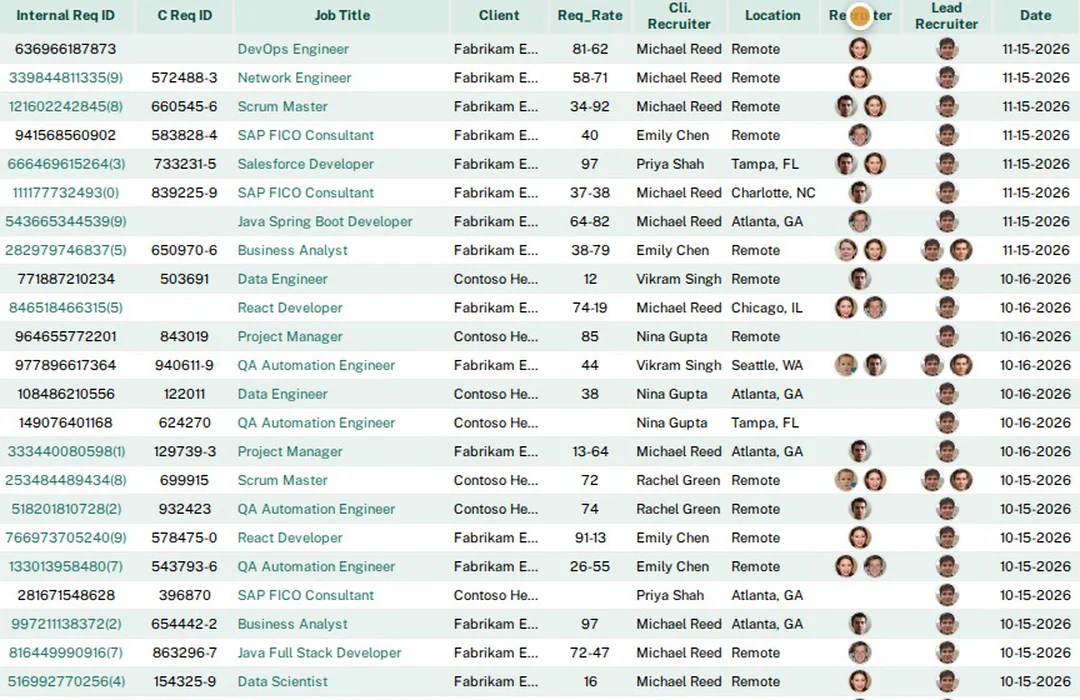
Add, search and prioritize requirements. Assign recruiters, track status (active, on hold, filled, re-opened), and see who is working each one.
Separate dashboards for recruiters, team leads and account managers. Each shows today's requirements, submissions, interviews, placements and performance charts.
One form to add or re-propose a candidate, pre-filled from the requirement and the resume, with each client’s questions built in. Existing candidates are recognized by email and phone.
Search your internal database, Monster and Dice from one screen, pre-filled from the requirement. Every search is kept in a searchable history.
For each requirement, see how many matching candidates exist internally, on Monster and on Dice before you spend search credits.
Upload resumes in bulk or connect a Google Drive folder. Resumes are parsed into candidate profiles automatically.
Compare a candidate's resume and LinkedIn profile text against the job description and get a fit score with reasoning.
Build a campaign from selected requirements and send it to vendor or candidate mailing lists, with automatic mass-mail settings, suppression and unsubscribe handling.
Private or shared lists of vendors and candidates for campaigns, with engagement tracking per group.
Configurable submission statuses from Proposed to TL through client review, interview rounds, offer and placement, with up to three interview slots per submission.
VoIP calling and VoIP SMS in one place: in-browser dialer, incoming-call pop-ups, call logs, and text threads with delivery status. Recruiters see their own; leads see their team’s.
Add, search and propose bench candidates, with a bench submission report.
Publish open jobs on a public careers page you can embed in your own website, and let candidates join your talent network.
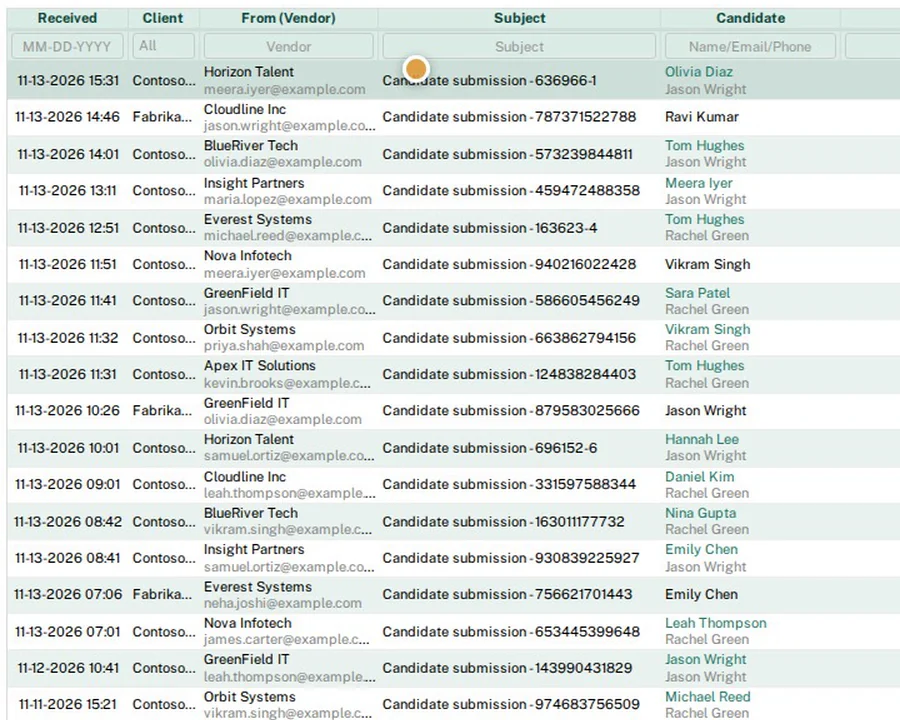
Automatic submission and status sync with VMS/MSP portals such as Beeline, plus automation that keeps every requirement covered.
Submit candidates from HRMS Portal to VMS/MSP portals such as Beeline and to other supplier portals. Each submission is logged.
Portal statuses move your HRMS status forward automatically. The sync never moves a status backward and never overwrites a final status. Every change is logged like a manual one.
Submissions made directly on the portal are found and added to the submission report, so nothing is missed.
Requirement emails from clients and MSPs are parsed into HRMS Portal requirements, and a parse log shows what was created or skipped.
Enter the IDs of requirements that are not open yet. You get one alert the moment they appear.
For uncovered tier-2 requirements, AI ranks your recent resumes, picks the best, and sends the vendor a pre-filled RTR to e-sign. Once it is signed, the submission is created automatically.
One automatic RTR per candidate per requirement, with a one-click stop-emails link and List-Unsubscribe header.
Vendor emails with candidates are read, matched to the right requirement, and shown with what happened to each one.
Every open requirement with no qualifying submission yet, by recruiter, lead or client contact.
Onboarding packets, e-sign, background checks, Teams video ID verification, I-9, immigration tracking and vendor compliance.
Send candidates and vendors one secure link to fill in onboarding forms and sign documents. HR countersigns from a pending list.
Build onboarding packets per client or employment type with your own fields, attachments and offer letters.
Collect background-check details through a secure form, order and track checks, and follow progress on the BGC status report.
Video identity verification over Microsoft Teams: HRMS schedules the call (or starts it instantly) after the background check and emails the invite from your template. It saves the recording automatically and captures stills of the front and back of the ID shown on camera.
Collect I-9 / E-Verify acknowledgments with countersign tracking.
Immigration report, H-1B applications, LCA records and a public access file, plus expiry reminders for work authorization documents.
AI reads uploaded work-authorization documents and flags name or expiry date mismatches against HRMS records.
Vendor records, W-9 and certificate-of-insurance tracking, vendor letters, and a reminder report.
Expiring-SOW alerts, SOW countersign requirements, and questionnaire forms for client-specific questions.
Candidate, vendor and H-1B document repositories, with email templates that attach documents and PDF tools that include edit & sign.
Consultant and employee timesheets with calendars, approvals and reminders, feeding payroll and ACH payments.

Consultants submit hours from a secure link, and you see weekly and monthly calendar views with holidays and leave.
Attach the client or manager approval, track approved, unapproved and partially approved hours, and send unapproved-timesheet emails.
Automatic timesheet reminders, missing-timesheet reports, and alerts for hours entered outside the contract period.
Internal staff log daily hours and leave, with a monthly calendar and a summary report.
Payroll report, payslip listing, W-2 pay reports, and payroll import with an import report.
Generate NACHA files for vendor payments and debits, validate bank routing numbers, and search past payment files.
Invoices, payments and vendor bills already live in HRMS Portal and post to the ledger automatically, so there is no need to pay for, and double-enter into, a separate package such as QuickBooks or Sage.
| Staffing revenue | $100,000.00 |
| Contractor & vendor costs | ($75,000.00) |
| Gross profit | $25,000.00 |
| Operating expenses | ($10,000.00) |
| Net income | $15,000.00 |
Illustration with sample numbers, not customer data
Chart of accounts with opening balances, manual journal entries with void, and an issue-resolution queue. Built in, so there is no separate accounting package to pay for.
“Sync from HRMS” posts client invoices, received payments, and vendor invoices and expenses to the ledger, with no double entry.
Profit & Loss, Balance Sheet, Trial Balance and General Ledger, on a cash or accrual basis, with CSV export for your accountant.
Bank & card feeds, or statement import (CSV/Excel). Bank rules, then match and book each line.
Reconcile bank and card accounts against the ledger, statement by statement.
Create invoices from approved time, email and search client invoices, receive client payments, and track unpaid invoices and pending invoicing.
Vendor invoices, vendor expenses and credits, overdue and unbilled tracking, and vendor payments with ACH/NACHA files.
Payroll reports and payslip listing, plus payroll import. HRMS Portal does not run payroll or file payroll taxes.
1099 report and 1099-NEC e-filing.
Monthly and yearly margin, projected cash flow, and income reports by candidate, client, end client and recruiter.
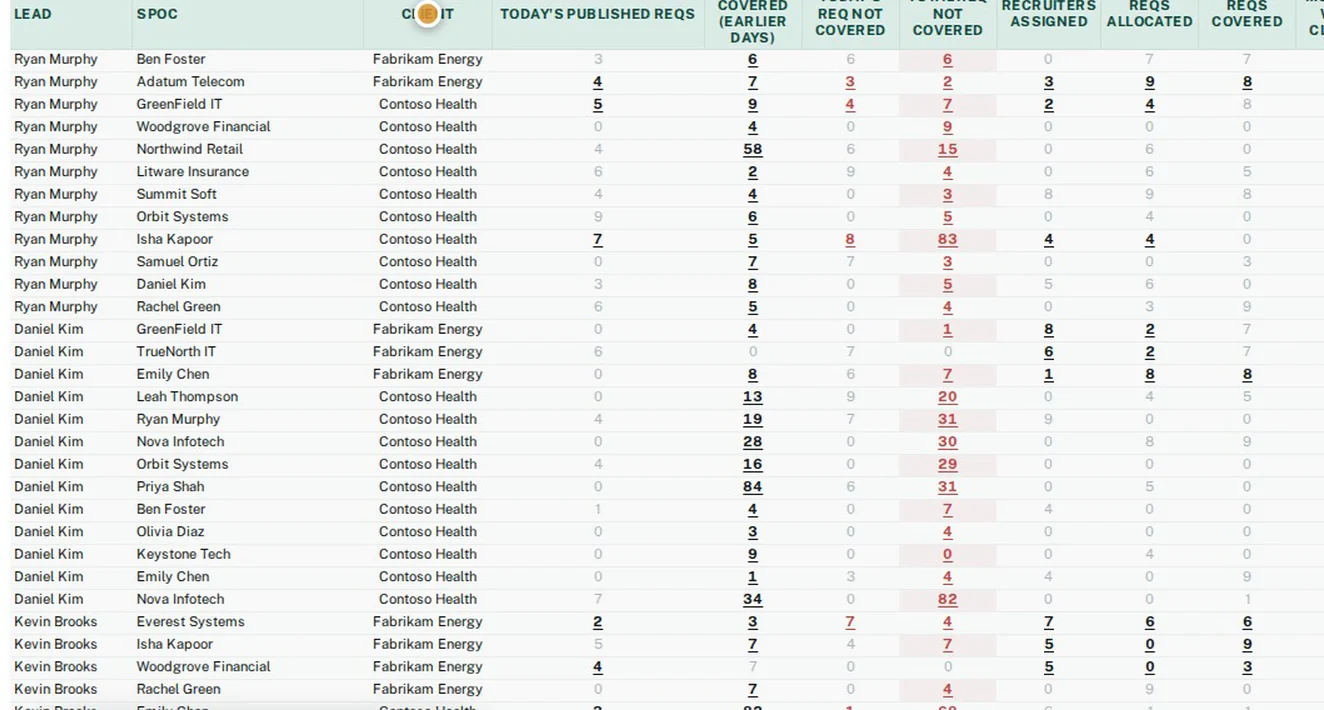
Daily lead and recruiter tracking, work-status breakdowns, performance and financial reports.
The leads' daily sheet built from HRMS Portal data: requirements, coverage, submissions, interviews and rejections by client contact. It can be emailed several times a day.
One row per recruiter: calls and texts, Dice activity, submissions, interviews, resume searches and vendor mass mails.
Assigned, covered, submitted, rejected and placed, by recruiter, by team, or by client contact.
Performance, team summary, submission and commission reports, with configurable commission tables.
Client submission report and statistics, submission report by client contact, interview report, and placement status.
Recruiter KPI email, MSP daily and weekly digests, an accounts weekly reminder, and critical alerts by SMS or email.
Integration health, email delivery and suppression logs, login logs, SMS and phone logs, and time spent on page.
More than 60 standard reports today, many with Excel or CSV export.
Role-based access, a separate database per customer, nightly backups and personal themes.
Standard roles (admin, account manager, team leader, recruiter, HR, accounts, data entry, coordinator and more), with per-screen access rights you can change.
Control who can see rate details, margins and placement information on a candidate.
Limit which modules can be used from which countries, and review login logs.
Optional single sign-on with Microsoft Entra ID alongside email and password.
Every customer gets its own database, storage bucket and yourcompany.hrmsportal.app address with HTTPS, created automatically.
Your database is backed up nightly to your own storage bucket and kept for 7 days.
Each user picks display density, a dashboard color theme and a font.
Role-based training videos with encrypted streaming, a viewer watermark, and external share links you can switch off at any time.
Import module with field mapping and import logs to bring your existing data across.
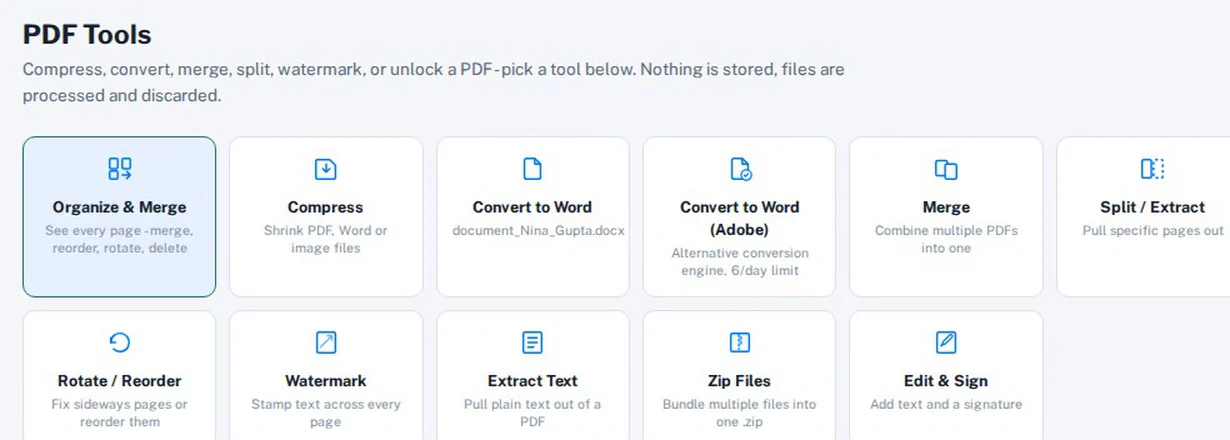
PDF tools (merge, split, compress, convert, watermark, edit & sign), an email validator, and shipping labels.
Book a demo and tell us which part of your process takes the most time today. We will start there.
Both buttons open an email to sales@hrmsportal.com. Self-serve sign-up is not live yet.